Introduction to Pemarks
Pemarks preserves rendered web pages as replayable archives backed by cryptographic proof. This chapter explains why ordinary saved links fail, what a Pemarks archive actually is, who the product is for, and how the evidence model works at a high level.
The internet is ephemeral. Pages change, sources vanish, evidence disappears. Approximately 38% of the webpages that existed in 2013 were no longer accessible by 2023 (Pew Research Center, 2024). For anyone who needs to prove what a page showed at a specific moment, a saved link is not enough.
Pemarks exists to solve that problem. It captures rendered web pages exactly as they appear in a browser, archives every referenced resource, and produces a cryptographic proof package that ties the capture to a verifiable point in time.
1. The Problem: Why The Web Cannot Be Trusted To Stay
Saved links, bookmarks, and browser favorites all share the same weakness: they remember a location, not the content that was there.
When that content matters — for evidence, compliance, research, or accountability — a saved link can fail in several ways:
- Link rot
-
The page disappears, the domain expires, the server returns an error. Your reference now points to nothing.
- Silent edits
-
The page still exists, but the claims, pricing, terms, or disclosures have changed. No one notified you. The previous version is gone.
- Evidence loss
-
Fraud pages, defamatory content, or regulatory violations can be deleted before you have a chance to collect them properly. A screenshot taken on your phone may not survive legal scrutiny.
- Missing context
-
A screenshot shows one flat image. It does not preserve the document structure, the linked resources, the network context, or the metadata that a thorough review requires.
- No change tracking
-
A saved link cannot tell you what the page looked like last week versus today. When drift or deliberate editing is the issue, a single snapshot is not enough.
These are not hypothetical problems. They are daily realities for journalists, investigators, legal teams, compliance officers, and researchers.
2. What Pemarks Does Differently
Pemarks is a rendered web archival system. When you create an archive, Pemarks does not merely store the URL. It launches a full browser, waits for the page to render and settle, captures the resulting document, archives every referenced resource, and stores the result as a replayable page backed by a proof package.
That makes Pemarks materially different from:
-
a saved link, which only remembers a location
-
a screenshot, which preserves one flat image without structure, resources, or proof
-
a "save page as" export, which often misses dynamic content, lazy-loaded material, and runtime-generated styles
-
a reader-mode extraction, which discards layout, images, and presentation
-
a simple web scraper, which archives raw source code rather than the rendered page a user actually saw
3. What A Pemarks Archive Contains
When Pemarks captures a page, the result is not a single file. It is an archive package designed for both replay and later verification.
A successful Pemarks archive typically contains:
- The rendered page
-
The full document as captured after browser rendering, including dynamic content, lazy-loaded material, and runtime styles. This is what you see when you open the archived copy.
- All referenced resources
-
Images, stylesheets, fonts, SVG assets, and other files linked by the page. Pemarks downloads each one and rewrites the page to point to the archived copies instead of the original live URLs. If a resource itself references other resources (for example, a CSS file that imports another stylesheet or references a background image), Pemarks processes those recursively.
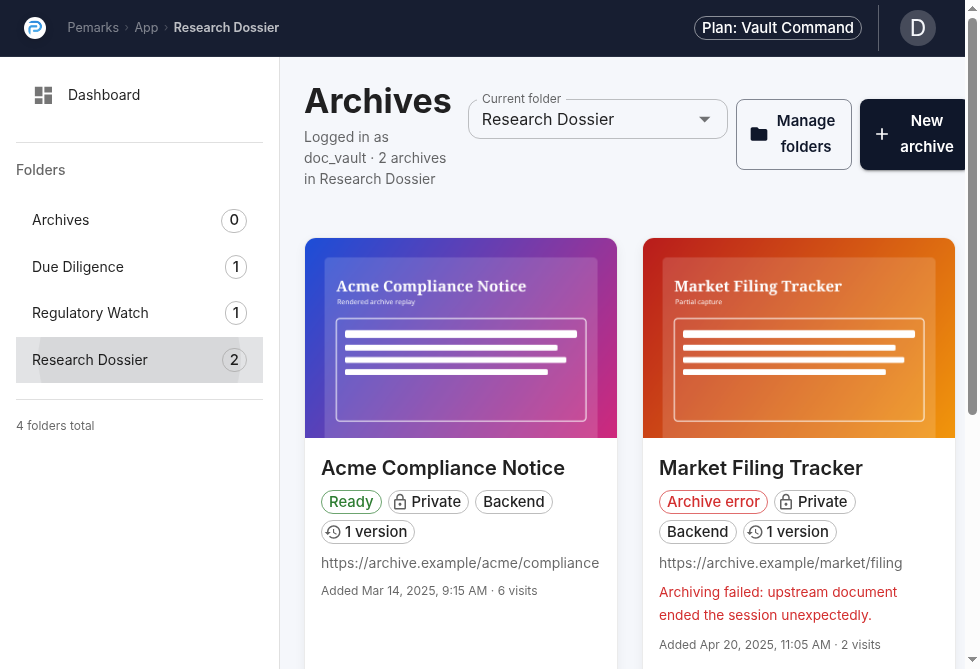
- A screenshot
-
A visual snapshot of the page as it appeared at capture time. Useful for quick review, sharing, and as a visual reference alongside the full archive.
- A PDF rendering
-
A document-format rendering of the captured page, when available. Easier to circulate than a full replay in some workflows.
- A HAR file
-
An HTTP Archive recording of the browser’s network requests and responses during capture. Shows what URLs were requested, what responses were received, and when.
- A netlog file
-
A lower-level browser network log that preserves DNS resolution details, TLS handshake information, and connection timing. Important for transport-level evidence.
- An extract report
-
The central proof document. Built directly from the capture process, the extract report records what was archived, what was transformed, the cryptographic hashes of all artifacts, and timestamps from independent Timestamp Authorities. This is the artifact that ties everything together for later verification.
No single artifact tells the whole story. The strength of a Pemarks archive is that the replay, the screenshot, the network recordings, and the extract report can be read together to build a complete picture of what was captured and when.
4. How The Capture Process Works
Understanding the capture process helps you interpret what your archive contains and why the archived page may not be byte-identical to the live source.
When you create an archive, Pemarks follows this sequence:
-
Browser rendering. A full Chrome browser loads the target page and allows it to render completely, including JavaScript execution, dynamic content, and runtime styling.
-
Page preparation. Before final capture, Pemarks interacts with the rendered page to maximize what gets preserved. This includes scrolling to trigger lazy-loaded content, attempting to dismiss cookie consent dialogs, and capturing runtime-generated styles that exist only in the browser’s memory.
-
Document capture. The final rendered document is captured after all preparation steps, not from the raw server response. This is why the archive reflects what a user would actually see, not just what the server originally sent.
-
Resource archival. Every referenced resource — images, stylesheets, fonts, SVG files, nested pages — is downloaded and stored. Resources that themselves reference other resources are processed recursively.
-
URL rewriting. All references in the archived page are rewritten to point to the stored copies instead of the original live URLs. This ensures the archive remains self-contained and does not depend on external servers to display correctly.
-
Proof generation. Pemarks computes cryptographic hashes of the archived content and its supporting artifacts, then obtains timestamps from independent Timestamp Authorities to anchor the capture to a verifiable moment in time.
-
Safety measures. Page scripts are removed for replay safety (to prevent archived pages from making network requests or executing potentially harmful code). Tracking and advertising requests are blocked during capture to keep the archive focused on the actual page content.
The result is a stable, self-contained archive that can be opened later under Pemarks control — independent of whether the original site still exists, has changed, or has started blocking access.
5. Why Pemarks Transforms Pages
Pemarks intentionally transforms pages during archival. This is not a defect — it is central to how the product works and why archives remain usable over time.
The transformations include:
-
URL rewriting from live addresses to archived resource addresses, so the archive does not depend on external servers
-
Script removal for replay safety, so archived pages cannot make unexpected network requests or execute outdated code
-
Tracking and ad blocking during capture, so the archive focuses on actual page content rather than surveillance infrastructure
-
Style materialization, capturing runtime-generated CSS and shadow DOM content that would otherwise be lost
-
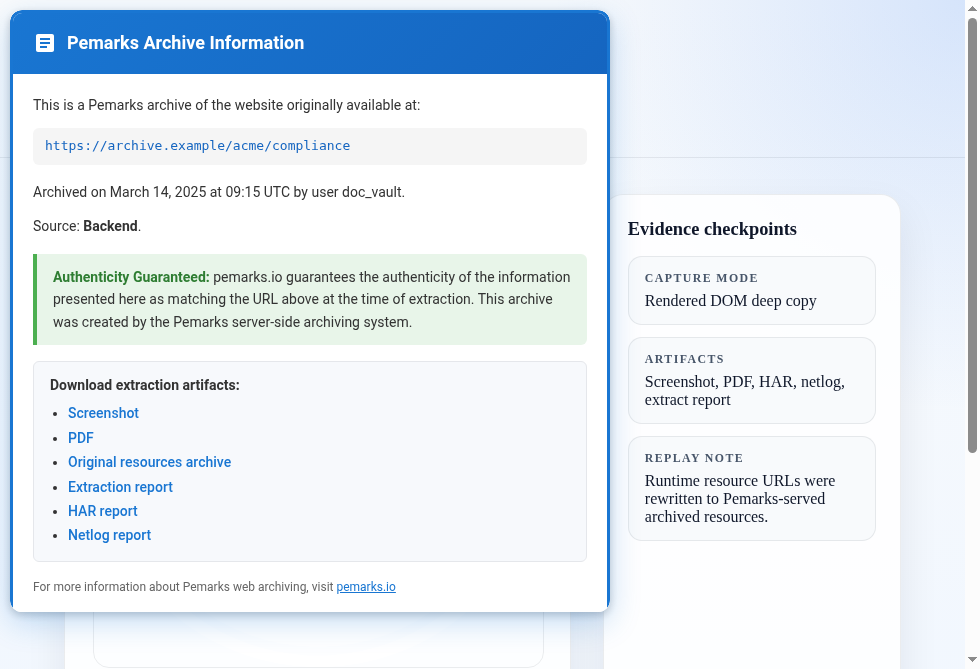
Information banner injection, adding a small launcher that lets you access archive metadata, proof artifacts, and downloads directly from the archived page
Because of these transformations, a Pemarks archive is usually not byte-identical to the original page source. That is expected and documented. The extract report records exactly what was changed and why, including diffs between the original and archived versions when available. The evidentiary value comes from the complete proof package, not from a false claim of byte-for-byte identity.
6. Who Pemarks Is For
Pemarks is designed for anyone who needs durable, verifiable records of what the web showed at a specific time.
6.1. Journalists and OSINT Researchers
Sources get edited, deleted, or taken down. Pemarks lets you preserve the exact page you found during your investigation — before it disappears. The timestamped proof package can support the credibility of your reporting when sources are challenged.
6.2. Legal Professionals
Whether you are collecting evidence of defamation, documenting contractual representations, or preserving compliance disclosures, Pemarks creates timestamped records with cryptographic proof. The archived page, extract report, and network recordings together form a stronger evidence package than a screenshot alone.
6.3. Compliance and Regulatory Teams
Regulations increasingly require organizations to maintain records of their own public-facing statements and those of regulated entities. Pemarks can archive terms of service, privacy policies, disclosures, and public filings with dated proof that the content existed at a specific time.
6.4. Fraud Investigators
Scam sites and deceptive pages are designed to disappear. Pemarks captures the full rendered page with all resources and network evidence before it vanishes. The proof package is built for later review, not just for the moment of capture.
6.5. Due Diligence and M&A Teams
During transactions, representations made on websites matter. Pemarks preserves what a target company claimed on its public pages, with timestamped proof that can survive the deal closing and subsequent changes.
7. The Proof Model At A Glance
Pemarks does more than keep a replay copy. Every archive includes a proof package designed for later verification.
At a high level, the proof model works like this:
-
Before capture, Pemarks records the target URL and computes its cryptographic hash. That hash is sent to an independent Timestamp Authority, proving the URL was known at that moment.
-
During capture, the browser records network traffic (HAR and netlog), captures a screenshot and PDF, and preserves TLS connection details.
-
After capture, Pemarks computes a cryptographic hash of the entire archived content tree — the page, all resources, all metadata. That hash is also sent to a Timestamp Authority, proving the complete archive existed at that moment.
-
The extract report ties everything together: what was requested, what was captured, what was transformed, the hashes of every artifact, and the timestamp proofs.
This is fundamentally stronger than a screenshot because it lets a reviewer inspect not only the visual result but also the archived resources, the network evidence, the transformation details, and the cryptographic timestamps — all produced by the same capture process and anchored to independently verifiable time references.
Chapter 4 explains the proof model in full detail, including how to read and validate the extract report.
8. Subscription Plans At A Glance
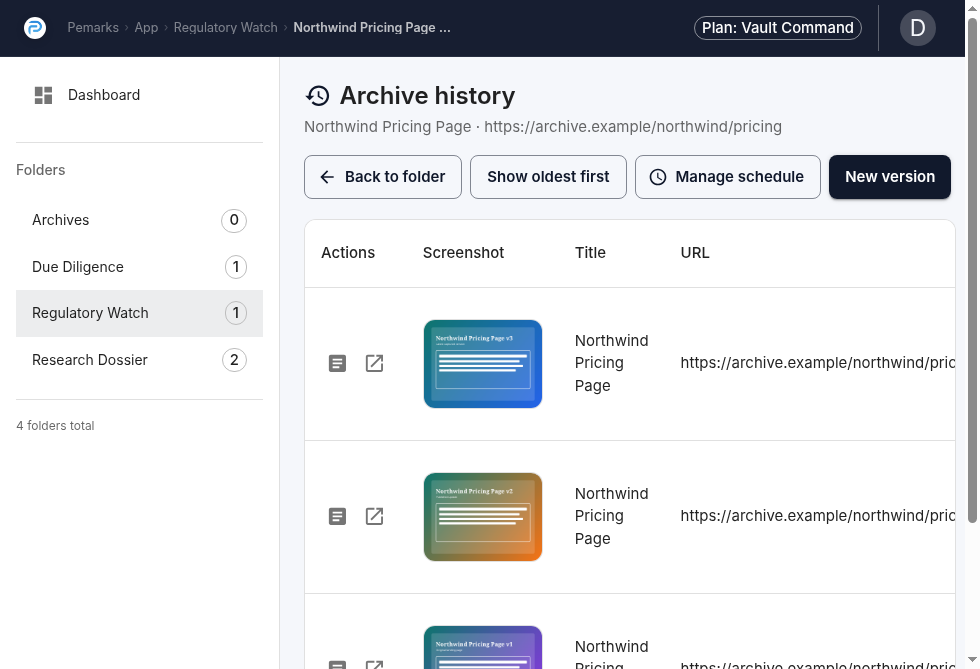
Pemarks offers four plans to match different archival needs.
| Plan | Archive quota | Public archives | Version history | Import / Auto-archive |
|---|---|---|---|---|
Public Record (Free) |
50 archived pages |
No |
No |
No / No |
Field Notes ($9/mo) |
100 archived pages |
Yes |
Yes |
No / No |
Casefile ($49/mo) |
500 archived pages |
Yes |
Yes |
Yes / Yes (up to 10 schedules) |
Vault Command ($199/mo) |
Unlimited |
Yes |
Yes |
Yes / Yes (up to 20 schedules) |
Two things to understand from the start:
- Archive quota counts pages, not entries.
-
If one archive has 40 versions, that counts as 40 archived pages toward your quota. Plan accordingly when using historization and auto-archive.
- Features unlock at different plan levels.
-
Public sharing, version history, browser plugin access, import from browser exports, and auto-archive scheduling each require specific plan tiers. The application shows clear messages when a feature is not available on your current plan.
9. Limits And Honest Expectations
Pemarks aims for high-fidelity rendered capture backed by cryptographic proof. It does not claim to be infallible, and it does not pretend that every website is fully capturable under all circumstances.
Practical limits you should be aware of:
- Not every page can be captured perfectly.
-
Some sites use aggressive anti-bot protections, CAPTCHAs, or rate limiting that can prevent the browser from fully rendering the page. The archive will document what was captured, including any limitations.
- Authenticated content requires an accessible session.
-
If a page requires login and the capture browser does not have access, the archived result will reflect the non-authenticated view. The browser plugin can help here because it works from the page already loaded in your authenticated browser session.
- Third-party widgets may not survive archival.
-
Chat widgets, embedded social media players, and other third-party components may be neutralized during the capture process. The archive preserves the page content, not the full interactive functionality of every external service.
- An archive is a preserved record, not a live mirror.
-
Opening an archived page shows you what Pemarks captured at that moment. It is not a promise that every interactive feature of the original site works inside the archive.
- Pemarks is a beta service.
-
The platform is operational and actively maintained, but infrastructure, storage, and deployment may evolve. Paid plans apply during beta. Users should maintain independent backups for mission-critical records.
The strength of a Pemarks archive is not that it is perfect in every case. The strength is that the proof package documents what was actually captured, what was transformed, and when it happened — so you and any reviewer can assess the archive on its merits rather than on blind trust.
10. Reading This Guide
The remaining chapters build on this introduction:
-
General Usage covers your daily workflow: account setup, dashboard, folders, browser plugin, profile settings, and archive import.
-
Archives, Versions, and Auto-Archive Jobs explains how archives evolve over time with versions, refresh, and scheduled captures.
-
Archive Transformations and Proof explains what Pemarks transforms during capture, what the proof artifacts contain, and how to validate an archive after the fact.
If you are new to Pemarks, read them in order. If you are looking for specific guidance, each chapter is self-contained enough to be useful on its own.