Pemarks Transformations, Archival Artifacts, and Cryptographic Proof
This chapter explains the evidence model behind a Pemarks archive: why pages are transformed during capture, what each proof artifact contains, how cryptographic hashing and timestamping work, and how to validate an archive after the fact.
This is the deepest chapter in the guide. It is still written for end users, not developers, but it follows the actual behavior closely because the credibility of a Pemarks archive depends on understanding what it contains and what it does not claim.
If you are a journalist, investigator, legal professional, or compliance officer who may need to explain a Pemarks archive to a colleague, reviewer, or court, this chapter is for you.
1. Why Pages Are Transformed During Archival
A common misconception is that a "real" archive should be a byte-for-byte copy of the original page. In practice, that approach usually fails.
Modern web pages are not static documents. They depend on:
-
JavaScript rendering — much of what you see is built by scripts after the page loads
-
Lazy loading — images and content that only appear when you scroll to them
-
Consent workflows — cookie banners and privacy dialogs that block the actual content
-
Runtime styles — CSS rules generated dynamically by JavaScript, including shadow DOM component styles
-
Third-party resource chains — fonts, images, and scripts loaded from dozens of different servers
-
Tracking and advertising infrastructure — surveillance scripts and ad networks that have nothing to do with the actual page content
If Pemarks simply saved the raw HTML returned by the server, the result would often be blank, broken, or wildly different from what you actually saw in your browser.
Instead, Pemarks first renders the page in a full browser, waits for it to settle, interacts with it to maximize what gets captured, and then archives the rendered result. That is the only way to preserve what a user actually saw.
2. What Pemarks Transforms And Why
Every transformation Pemarks applies has a specific purpose. Understanding them helps you interpret the archive and explain it to others.
2.1. Browser Rendering And Page Preparation
Before capturing the final document, Pemarks:
-
Renders the page in a full browser, letting JavaScript execute, dynamic content load, and the page reach its settled visual state
-
Scrolls through the page to trigger lazy-loaded images and content that only appear on scroll
-
Attempts to dismiss cookie consent dialogs using heuristic detection, so the actual page content is visible rather than hidden behind an overlay
-
Captures runtime-generated styles, including CSS rules that exist only in the browser’s memory (CSSOM rules, adopted stylesheets, shadow DOM component styles) and serializes them into the archived page so they survive without the original scripts
2.2. URL Rewriting
Every resource reference in the archived page — images, stylesheets, fonts, SVG files — is rewritten from the original live URL to a Pemarks-controlled archive URL. This ensures:
-
The archived page does not depend on external servers to display correctly
-
If the original server goes down, the archive still works
-
Resources cannot be silently swapped out after archival
CSS and SVG files are processed recursively. If a stylesheet imports another stylesheet, or references a background image, those nested references are also archived and rewritten.
2.3. Script Removal
Most page scripts are removed from the archive. This is a deliberate safety measure:
-
Archived pages should not make network requests to external servers
-
Outdated scripts could behave unpredictably when replayed months or years later
-
Scripts that track users, load ads, or modify content would undermine the archive’s integrity
One exception: Pemarks preserves a small restoration script when the page uses shadow DOM components, because that script is needed to correctly reconstruct the archived component structure during replay.
2.4. Tracking And Ad Blocking
During capture, Pemarks blocks requests to known tracking and advertising domains. This keeps the archive focused on the actual page content rather than surveillance infrastructure. The blocked-domain list is curated and reviewed to avoid accidentally blocking legitimate content.
2.5. Information Banner Injection
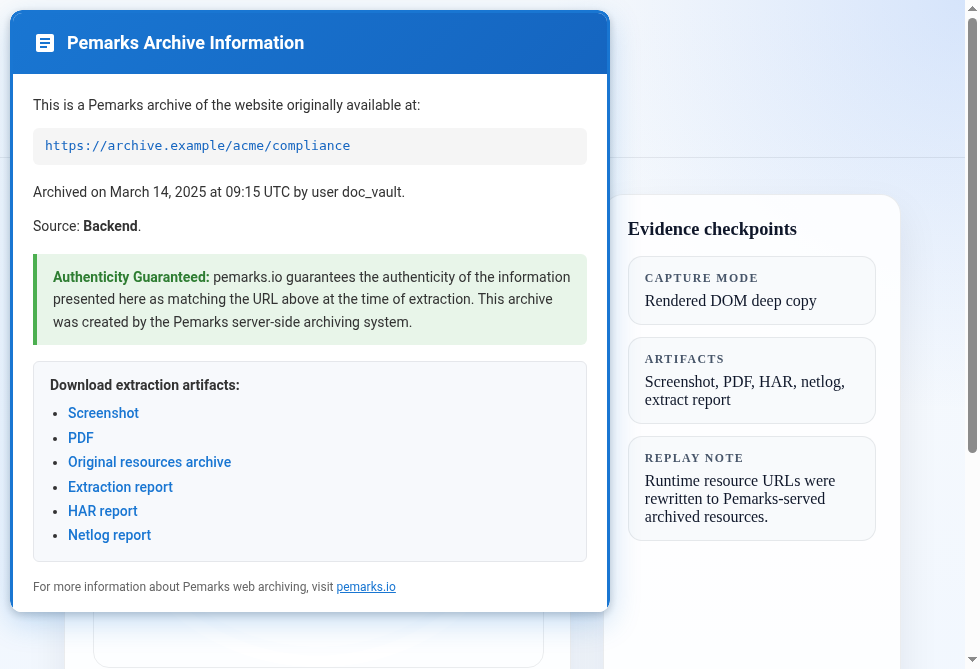
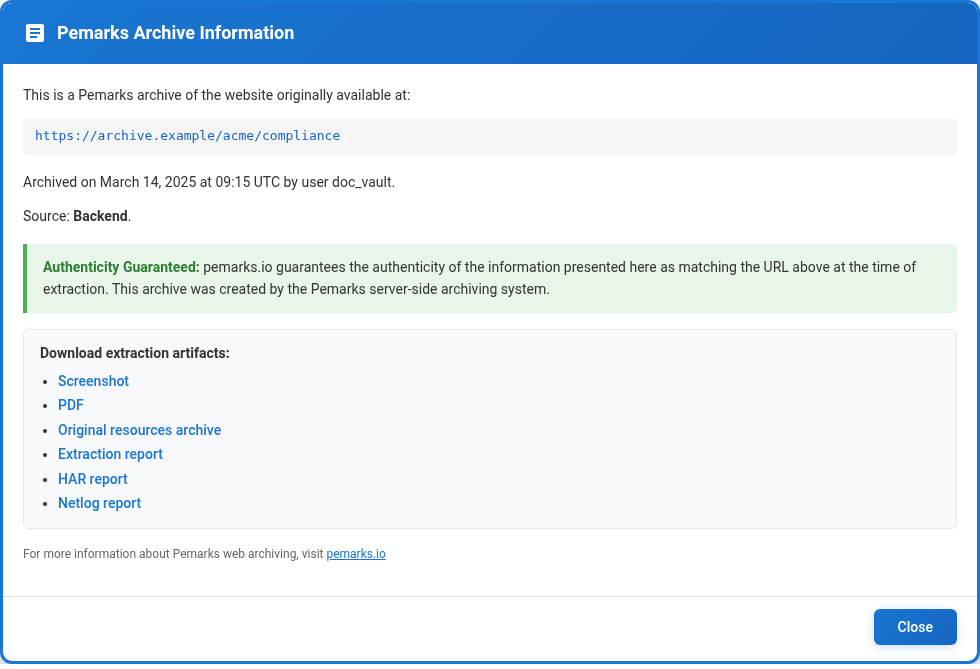
Every archived page includes a small information banner — a circular button in the top-left corner. Clicking it opens a panel with archive metadata, proof artifacts, and download links. The banner’s appearance indicates the archive’s trust level:
-
Blue indicates a guaranteed archive (captured with full evidence requirements)
-
Red indicates a non-guaranteed archive (captured with a lighter evidence package)
3. The Proof Artifacts
A Pemarks archive is not just a preserved page. It is a package of artifacts designed for later verification. Each artifact serves a different purpose, and together they provide layered evidence.
3.1. The Archived Page (Replay)
What it is: The full rendered document with all resources served from the archive.
What it is good for:
-
Reviewing the page as it was captured — structure, layout, images, text, everything
-
Navigating through the preserved content
-
Seeing exactly what Pemarks archived, including any transformations
What it is not: A byte-for-byte copy of the original server response. The archived page reflects the rendered result after browser evaluation and Pemarks transformations.
3.2. The Screenshot
What it is: A visual snapshot of the page as rendered by the browser at capture time.
What it is good for:
-
Quick visual reference — what did the page look like?
-
Sharing with colleagues or reviewers who need a fast answer
-
Including in reports or presentations where a full archive replay is impractical
What it is not: Proof of page structure, resources, or content beyond what is visible in one image. A screenshot alone cannot prove what resources were loaded, what network requests were made, or what the page code contained.
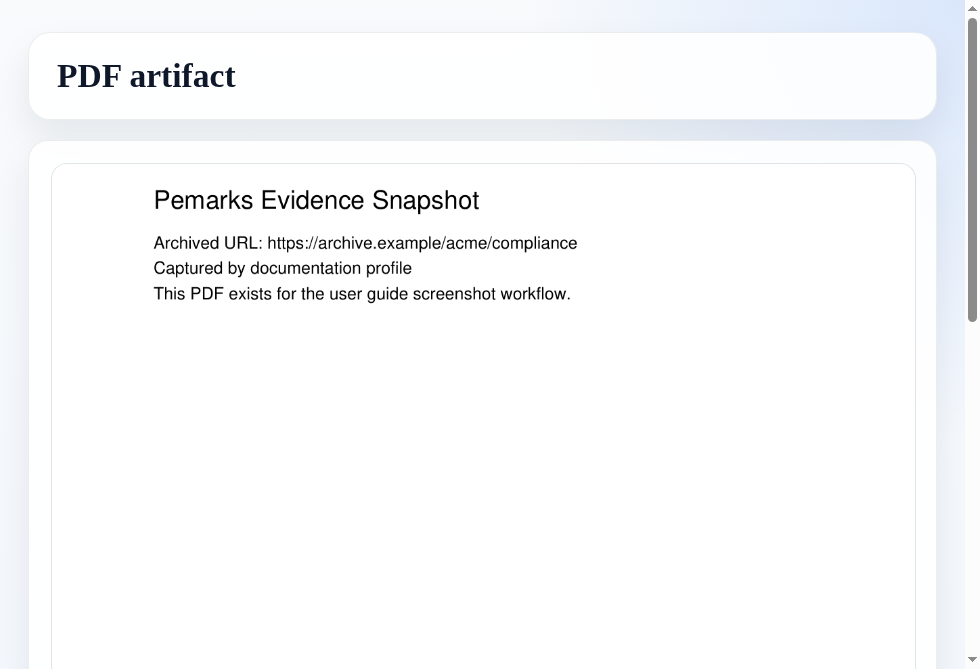
3.3. The PDF
What it is: A document-format rendering of the captured page, when available.
What it is good for:
-
Circulating the captured page in a widely readable format
-
Printing or filing in systems that accept PDF but not web archives
-
A second visual representation alongside the screenshot
3.4. The HAR File
What it is: An HTTP Archive recording of the browser’s network activity during capture. It uses the standard HAR format recognized by browser developer tools and network analysis software.
What it is good for:
-
Seeing what URLs were requested during capture
-
Seeing what responses were received (status codes, content types, headers)
-
Understanding the timing and sequence of network requests
-
Verifying that specific resources were fetched from specific servers
Why it matters for evidence: The HAR documents the network-level reality of the capture. If someone questions whether a resource was really loaded from a particular server, the HAR provides the request-response evidence.
{
  "log": {
    "version": "1.2",
    "creator": {
      "name": "Pemarks fixture",
      "version": "0.1-SNAPSHOT"
    },
    "entries": [
      {
        "startedDateTime": "2025-02-14T09:12:33.215Z",
        "request": {
          "method": "GET",
          "url": "https://archive-fixture.pemarks.test/report"
        },
        "response": {
          "status": 200,
          "content": {
            "mimeType": "text/html"
          }
        },
        "timings": {
          "blocked": 3,
          "dns": 12,
          "connect": 38,
          "ssl": 24,
          "wait": 71,
          "receive": 6
        }
      }
    ]
  }
}
3.5. The Netlog File
What it is: A lower-level browser network event log that goes deeper than the HAR.
What it is good for:
-
TLS and transport evidence: TLS version, cipher suite, and certificate information
-
DNS resolution details: what IP addresses the domain resolved to
-
Connection timing: handshake durations, connection reuse, and network behavior
-
Browser security state: whether the browser reported any certificate or security issues
Why it matters for evidence: The netlog provides transport-layer context that the HAR does not. It can show that the browser connected to the correct server, used proper encryption, and did not encounter certificate problems (or, importantly, that it did encounter problems — which the archive honestly reports).
{
  "events": [
    {
      "url": "https://archive-fixture.pemarks.test/report",
      "event": "URL_REQUEST",
      "params": {
        "securityState": "secure",
        "dns": {
          "resolvedAddress": "203.0.113.10"
        },
        "connection": {
          "reused": false
        },
        "networkTiming": {
          "requestStart": 0,
          "sslStart": 41,
          "sslEnd": 65
        },
        "tls": {
          "version": "TLS 1.3",
          "cipherSuite": "TLS_AES_256_GCM_SHA384",
          "certificates": [
            "MIIF...fixture-leaf",
            "MIID...fixture-intermediate"
          ]
        }
      }
    }
  ]
}
3.6. The Extract Report
What it is: The central proof document. Built directly from the capture process, the extract report ties all the other artifacts together with cryptographic hashes and independent timestamps.
What it is good for:
-
Understanding exactly what was archived, resource by resource
-
Verifying that artifacts have not been tampered with since capture
-
Anchoring the archive to a verifiable point in time through Timestamp Authority responses
-
Seeing the exact differences between the original page and the archived version
The extract report is covered in detail in the following sections.
4. Understanding The Extract Report
The extract report is an XML document built directly from the capture process. It is not a hand-written narrative — it is a machine-generated record of what the capture system knew at archival time.
The report has three major sections.
4.1. Ignition: The Starting Point
The ignition section records the beginning of the archival request:
- Target URL
-
The URL that was submitted for archival.
- User
-
Who requested the archive.
- Pemarks version
-
The version of the software that performed the capture.
- Start time
-
When the capture began, in UTC.
- URL hash
-
A SHA-512 cryptographic hash of the target URL.
- URL timestamp
-
A Timestamp Authority (TSA) response proving that the URL hash already existed at a specific time. This anchors the beginning of the capture to an independently verifiable clock.
4.2. Content: What Was Captured
The content section is the heart of the report. It describes everything that was archived:
- Capture context
-
Hashes of supporting artifacts (HAR, netlog, PDF, screenshot), TLS connection details from the target server, and DNS resolution information.
- Archived pages and resources
-
A complete inventory of every page and resource that was archived, including:
-
The resource URL
-
A SHA-512 hash of the archived content
-
A SHA-512 hash of the original content (before Pemarks transformations), when available
-
The content type
-
- Diffs
-
When Pemarks has both the original bytes and the archived bytes, it generates a unified diff showing exactly what was changed. This is especially useful for:
-
HTML pages (showing script removal, banner injection, and URL rewrites)
-
CSS files (showing URL rewrites inside stylesheets)
-
SVG files (showing reference rewrites)
-
The diffs make Pemarks transformations transparent. A reviewer can see that a script was removed, that a URL was rewritten to an archive address, or that a tracking reference was replaced — and can verify that nothing unexpected was changed.
--- original
+++ archived
@@
-<script src="analytics.js"></script>
+<script data-pemarks-shadow-restore="true">...</script>
@@
-background:url(https://cdn.example.com/bg.png)
+background:url(resource?id=7106)- Nested contexts
-
If the page contains iframes or embedded pages, the extract report includes recursive child contexts for each one. The nested page’s resources, hashes, and diffs are reported within the parent report, creating a complete tree of everything that was captured.
4.3. Validation: The Closing Proof
The validation section closes the proof chain:
- Content hash
-
A SHA-512 hash computed over the entire serialized content section. This single hash represents the complete archived content tree.
- Content timestamp
-
A Timestamp Authority response proving that the content hash already existed at a specific time. This anchors the completed archive to an independently verifiable clock.
- Completion time
-
When the archival process finished, in UTC.
<?xml version="1.0" encoding="UTF-8"?>
<report>
  <ignition>
    <targetUrl>https://archive-fixture.pemarks.test/report</targetUrl>
    <user>doc_user</user>
    <pemarksVersion>0.1-SNAPSHOT</pemarksVersion>
    <extractionStartUtc>2025-02-14T09:12:33Z</extractionStartUtc>
    <urlHash algorithm="SHA-512">3c57d1...8ff8</urlHash>
    <urlTsa>
      <payload>
        <hash>
          <algorithm>SHA-512</algorithm>
          <hex>3c57d1...8ff8</hex>
        </hash>
        <id>target-url</id>
        <sizeBytes>43</sizeBytes>
        <sourceUrl>https://archive-fixture.pemarks.test/report</sourceUrl>
        <stage>IGNITION</stage>
        <type>URL</type>
      </payload>
      <request>
        <nonceHex>7f2d4c...11</nonceHex>
        <timestampUtc>2025-02-14T09:12:33Z</timestampUtc>
      </request>
      <tsa>
        <authority>
          <certificateSourceUrl>https://tsa.example.test/cert.pem</certificateSourceUrl>
          <domain>sectigo.com</domain>
          <endpoint>https://tsa.example.test/rfc3161</endpoint>
          <id>sectigo</id>
          <name>Sectigo</name>
        </authority>
        <certificates>
          <entries>
            <item index="0">
              <fingerprintSha512>9a8b7c...4d3e</fingerprintSha512>
            </item>
          </entries>
        </certificates>
        <providerDetails>
          <pkiStatus>0</pkiStatus>
        </providerDetails>
        <token>
          <base64>MIIX...Q=</base64>
        </token>
        <tstInfo>
          <genTimeUtc>2025-02-14T09:12:34Z</genTimeUtc>
          <policyOid>1.3.6.1.4.1...</policyOid>
          <serialNumberHex>01</serialNumberHex>
        </tstInfo>
        <validation>
          <checks>
            <nonceMatches>true</nonceMatches>
            <signatureValid>true</signatureValid>
          </checks>
          <status>VALID</status>
        </validation>
      </tsa>
      <attempts>
        <item index="0">
          <authorityId>sectigo</authorityId>
          <durationMs>143</durationMs>
          <result>success</result>
        </item>
      </attempts>
    </urlTsa>
  </ignition>
  <content url="https://archive-fixture.pemarks.test/report" ignitionTSA="sectigo@2025-02-14T09:12:34Z">
    <ignitionTSA>
      <authorityDomain>sectigo.com</authorityDomain>
      <status>VALID</status>
      <authorityId>sectigo</authorityId>
      <authorityName>Sectigo</authorityName>
      <genTimeUtc>2025-02-14T09:12:34Z</genTimeUtc>
      <reference>sectigo@2025-02-14T09:12:34Z</reference>
    </ignitionTSA>
    <context>
      <targetTls>
        <url>https://archive-fixture.pemarks.test/report</url>
        <securityState>secure</securityState>
        <tls>
          <version>TLS 1.3</version>
          <cipherSuite>TLS_AES_256_GCM_SHA384</cipherSuite>
        </tls>
        <tlsStatus>
          <status>OK</status>
          <targetHost>archive-fixture.pemarks.test</targetHost>
        </tlsStatus>
      </targetTls>
      <targetDns>
        <url>https://archive-fixture.pemarks.test/report</url>
        <dns>
          <available>true</available>
        </dns>
      </targetDns>
      <harHash algorithm="SHA-512">46f9bb...6542</harHash>
      <netlogHash algorithm="SHA-512">d9c3ce...b4ab</netlogHash>
      <pdfHash algorithm="SHA-512">50a9d2...2c41</pdfHash>
      <screenshotHash algorithm="SHA-512">b8a8cd...a501</screenshotHash>
    </context>
    <Page>
      <ID>4101</ID>
      <URL>https://archive-fixture.pemarks.test/report</URL>
      <ArchiveHash>f236aa...6314</ArchiveHash>
      <OriginalHash>8d6712...ed79</OriginalHash>
      <Diff><![CDATA[
--- original
+++ archived
@@
-<script src="analytics.js"></script>
+<script data-pemarks-shadow-restore="true">...</script>
      ]]></Diff>
    </Page>
    <Resource>
      <ID>7105</ID>
      <URL>https://archive-fixture.pemarks.test/assets/site.css</URL>
      <ArchiveHash>c93d71...01ab</ArchiveHash>
      <OriginalHash>79d8a2...a5bc</OriginalHash>
      <Diff><![CDATA[
--- original
+++ archived
@@
-background:url(https://cdn.example.com/bg.png)
+background:url(resource?id=7106)
      ]]></Diff>
    </Resource>
  </content>
  <validation>
    <contentHash algorithm="SHA-512">91c04a...fe73</contentHash>
    <contentTsa>
      <status>VALID</status>
      <authorityId>digicert</authorityId>
      <genTimeUtc>2025-02-14T09:12:39Z</genTimeUtc>
    </contentTsa>
    <archivingCompletedUtc>2025-02-14T09:12:39Z</archivingCompletedUtc>
  </validation>
</report>
5. How Cryptographic Hashing Works In Pemarks
Pemarks uses SHA-512 hashing throughout the proof chain. Understanding what hashing does and does not prove is important for interpreting the archive correctly.
5.1. What A Hash Proves
A cryptographic hash is a fixed-length fingerprint computed from a piece of data. The key properties are:
-
Deterministic: the same input always produces the same hash
-
Irreversible: you cannot reconstruct the original data from the hash alone
-
Collision-resistant: it is computationally infeasible to find two different inputs that produce the same hash
This means that if you have the archived content and its hash, you can verify that the content has not been modified since the hash was computed. If even one byte has changed, the hash will be completely different.
5.2. What Pemarks Hashes
Pemarks computes SHA-512 hashes for:
-
The target URL (in the ignition section)
-
Each archived page and resource
-
The original content before transformation (when available)
-
Supporting artifacts (HAR, netlog, PDF, screenshot)
-
The complete serialized content section (in the validation section)
6. How Timestamp Authorities Work
A Timestamp Authority (TSA) is an independent third-party service that provides cryptographic proof that a specific piece of data existed at a specific time.
6.1. The Process
-
Pemarks computes a hash of the data it wants to timestamp.
-
Pemarks sends that hash (not the data itself) to a TSA.
-
The TSA signs the hash together with the current time, producing a timestamp token.
-
Pemarks stores the timestamp token in the extract report.
-
Later, anyone can verify the timestamp token against the TSA’s public certificate to confirm that the hash existed at the stated time.
6.2. Two Timestamps Per Archive
Pemarks timestamps two different things on purpose:
URL timestamp (at ignition): Proves that Pemarks knew about the target URL at the start of the capture. This anchors the request itself to a verifiable time.
Content timestamp (at validation): Proves that the complete archived content tree existed at the end of the capture. This anchors the entire archive — every page, every resource, every artifact hash — to a verifiable time.
Together, these two timestamps bracket the capture: the URL was known at time A, and the complete archive existed at time B.
6.3. Which Authorities Does Pemarks Use?
Pemarks queries multiple Timestamp Authorities in parallel and accepts the first valid response. The current set of authorities includes:
-
freeTSA
-
Certum
-
Sectigo
-
DigiCert
-
DFN
-
Microsoft
Pemarks validates every TSA response before accepting it. A response is only used if it passes all of the following checks:
-
The TSA granted the timestamp request
-
The nonce (anti-replay token) matches the one Pemarks sent
-
The hash algorithm and digest match what Pemarks requested
-
The token signature is cryptographically valid
-
The certificate chain is coherent
-
The timestamp is within reasonable clock-skew bounds
7. TLS And Network Context In The Proof
The extract report preserves transport-level information about the connection to the target server. This information comes from the browser’s netlog and adds network-layer context to the archive.
The report can include:
-
TLS version used for the connection (e.g., TLS 1.3)
-
Cipher suite negotiated during the handshake
-
DNS resolution information (what IP addresses the domain resolved to)
-
Connection timing details
-
Browser security state at capture time
-
Certificate/host consistency status — whether the server’s certificate matched the requested hostname
If the browser detected a TLS problem during capture (for example, a certificate that does not match the hostname), the archive information banner surfaces that mismatch. A Pemarks archive does not hide transport-layer problems. It reports them so the reviewer can make an informed assessment.
8. Validating A Pemarks Archive
This section explains how a reviewer — whether that is you, a colleague, a legal counterpart, or an auditor — can validate a Pemarks archive after the fact.
8.1. Step-By-Step Validation
-
Start from the archived replay URL, the screenshot, and the extract report together, not from any one artifact in isolation.
-
Read the extract report
ignitionsection first to confirm the requested target URL, user, Pemarks version, and the full TSA proof on the URL hash. -
Treat
content@ignitionTSAplus the simplifiedcontent/ignitionTSAblock as the business-level reference back to that full ignition TSA evidence. -
Move to the
content/contextsection to verify capture-side evidence such as HAR, netlog, screenshot, and PDF hashes. -
Review each serialized
PageandResourceentry to understand what Pemarks archived and what was transformed. -
When a
Diffsection exists, compare the original captured bytes with the archived bytes to see exactly which transformations were intentional. -
Recompute the SHA-512 hash of the serialized
contentsubtree and compare it withvalidation/contentHash. -
Validate the TSA token recorded under
contentTsaso you can show the full archived content already existed at the stated completion time.
8.2. What Successful Validation Tells You
If the validation succeeds, you can state:
-
The target URL was known to Pemarks at the time recorded in the ignition TSA response
-
The complete archive (all pages, resources, and artifact hashes) existed at the time recorded in the content TSA response
-
The archived content has not been modified since the content hash was computed
-
The extract report accurately reflects the resources that were captured and the transformations that were applied
8.3. What Validation Does Not Tell You
Validation proves integrity and timing, not that the original page was unmanipulated at the source. Specifically:
-
Validation does not prove that the original web server was honest about what it served
-
Validation does not prove that the page was not manipulated by the user’s network before it reached Pemarks
-
Validation does not prove that the Pemarks environment itself was not tampered with
These are the same limits that apply to any digital evidence capture system. The strength of the Pemarks model is that it documents these boundaries explicitly and provides multiple independent layers of evidence (replay, screenshot, HAR, netlog, hashes, timestamps) that can be cross-checked.
9. How To Read The Artifacts Together
Treat the artifacts as a layered package. Each one is strongest for a different purpose:
| Artifact | Best for |
|---|---|
Archived page (replay) |
Full structure and navigation. Seeing the page as captured, with all resources. Accessing the information banner for metadata and downloads. |
Screenshot |
Quick visual confirmation. Sharing with reviewers. Including in reports. Answering "what did it look like?" |
Document-format circulation. Printing. Filing in systems that accept PDF. |
|
HAR |
Network request/response chronology. Verifying which servers were contacted. Understanding timing. |
Netlog |
Transport and TLS evidence. Certificate details. DNS resolution. Connection behavior. |
Extract report |
The proof map tying everything together. Hashes, timestamps, transformation diffs, resource inventory. The artifact for formal verification. |
No single artifact is sufficient on its own. The screenshot shows what the page looked like but not what resources were loaded. The HAR shows the network requests but not the visual result. The extract report ties everything together with hashes and timestamps but does not itself display the page.
The strongest way to present a Pemarks archive for review is to provide all artifacts together and explain how they cross-reference each other.
10. Practical Evidence Scenarios
10.1. Proving That A Page Existed In A Given State At A Given Time
This is the most common scenario. You need to show that a specific page displayed specific content on a specific date.
Approach:
-
Present the archived replay to show the preserved page content.
-
Present the screenshot for quick visual confirmation.
-
Point to the extract report’s ignition section to show the URL and start time.
-
Point to the validation section to show the content hash and TSA timestamp confirming when the complete archive existed.
-
If challenged, offer the HAR and netlog to show the network-level evidence of the capture.
10.2. Proving That A Page Changed Over Time
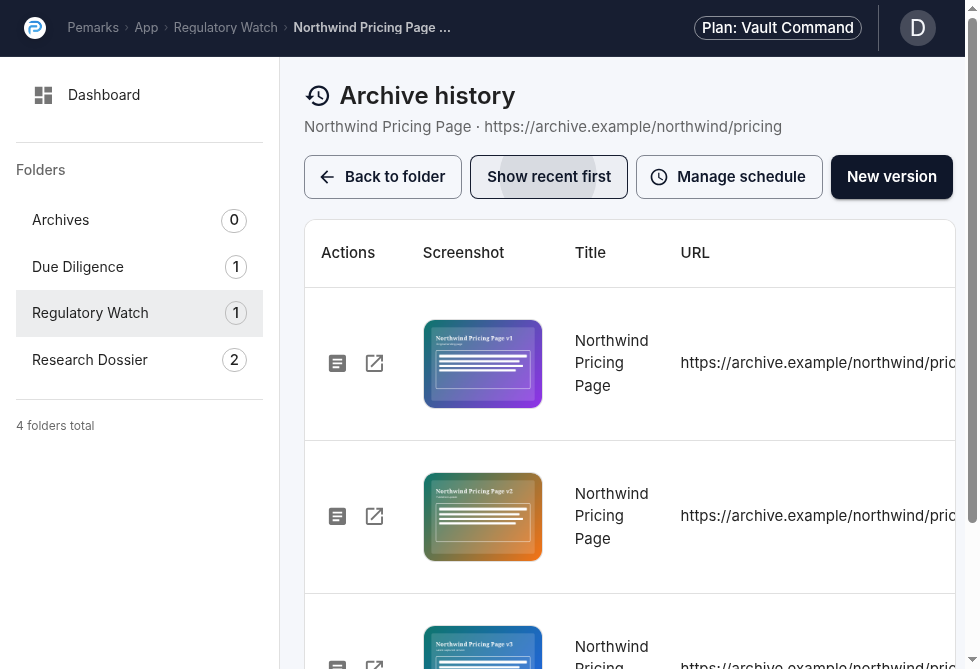
With version history, you have multiple dated captures of the same page.
Approach:
-
Present the version history showing the dates of each capture.
-
Open two versions side by side to show the differences.
-
Point to each version’s extract report to confirm the independent timestamps.
-
If the change is in the text or structure, the archived replays make it visible. If the change is in a resource (like an image or PDF), the extract reports show different resource hashes.
10.3. Explaining Why The Archive Differs From The Original Page Source
Reviewers may notice that the archived page is not byte-identical to what "view source" would have shown. This is expected.
Approach:
-
Explain that Pemarks archives the rendered page, not the raw server response, because the rendered page is what users actually see.
-
Point to the extract report’s diff sections to show exactly what was changed (script removal, URL rewriting, banner injection).
-
Emphasize that these transformations are documented, not hidden — the diff shows every change.
-
Note that original-content hashes (when available) prove what the content was before transformation.
10.4. Verifying That An Archive Has Not Been Tampered With
Approach:
-
Obtain the archived content and the extract report.
-
Recompute the SHA-512 hash of the content section.
-
Compare it with the content hash in the validation section.
-
Verify the TSA token against the timestamp authority’s public certificate.
-
If the hash matches and the TSA token is valid, the content has not been modified since archival.
11. Proof Glossary
- DOM
-
The document object model captured after the page has rendered in Chrome, including changes made by scripts and browser-side evaluation.
- HAR
-
An HTTP Archive file describing the browser’s observed network requests and responses during capture.
- Netlog
-
Chrome’s lower-level network event log, used in Pemarks to preserve connection and TLS context.
- SHA-512 hash
-
A cryptographic digest used by Pemarks to fingerprint archived content, original content, and proof artifacts.
- TSA
-
Timestamp Authority. Pemarks asks TSA providers to timestamp selected hashes so later reviewers can verify when a value already existed.
- Lineage
-
The logical identity of a archiveed page over time. In Pemarks this is the shared
pageIdacross multiple archived versions. - Version
-
One concrete archived snapshot inside a lineage. Each version has its own timestamp, resources, proof artifacts, and visibility state.
12. Limits, Trust Boundaries, And Responsible Interpretation
Pemarks provides strong archival evidence, but no system can turn every hostile or inaccessible page into perfect proof. Understanding the limits helps you present archives honestly and anticipate challenges.
12.1. Trust Depends On Multiple Layers
- Trust in the TSA timestamps depends on trust in the Timestamp Authority and its PKI infrastructure.
-
Pemarks uses well-known, established authorities. If you need to present evidence formally, you may need to explain what a TSA is and why its timestamps are trustworthy.
- Trust in the capture depends on trust in the Pemarks environment.
-
The archive proves what Pemarks captured and when, but it does not independently prove that the Pemarks server itself was uncompromised. This is the same trust model that applies to any evidence capture tool, including forensic browser extensions and notarization services.
12.2. Some Captures Will Be Incomplete
- Hostile sites can block capture.
-
Sites with aggressive bot detection, CAPTCHAs, or IP blocking may prevent Pemarks from rendering the page fully. The archive will document what was captured, but it may not represent the complete page.
- Authenticated content requires accessible sessions.
-
If a page requires login and the capture browser does not have your session, the archive reflects the non-authenticated view. The browser plugin helps here because it works from your authenticated browser.
- Third-party content may be missing.
-
Chat widgets, embedded social media players, and ad-dependent content may not survive archival. Pemarks focuses on the page’s own content and resources.
12.3. Archived Replay Has Practical Limits
An archived page is a preserved record, not a live mirror. Interactive features that depend on JavaScript, server-side processing, or external APIs will not function inside the archive. The archive shows what the page displayed, not what the page can do.
12.4. The Strength Of Honest Documentation
The value of a Pemarks archive is not that it is perfect in every case. The value is that it documents its own boundaries:
-
Transformations are recorded in diffs, not hidden
-
Missing resources are visible in the extract report
-
TLS problems are surfaced, not suppressed
-
The proof chain is independently verifiable through standard cryptographic tools
This transparency is what makes a Pemarks archive defensible. A reviewer can assess the archive on its actual merits rather than having to take it on faith.